How to play Geometry Dash Breeze 3D
Geometry Dash Breeze 3D is a fast-paced 3D rhythm game where I guide a moving character through tricky obstacles using precise jumps and quick reactions.
On PC, I can press Space or click the mouse to jump, while mobile players can tap the screen. Holding the jump input lets the character rise higher, which helps with tall obstacles and wider gaps.
Character movement modes
Cube mode
In Geometry Dash Breeze 3D, Cube mode is the easiest form to understand. The character runs along the surface and jumps over obstacles in time with the music. I need to get the timing right because even a slightly late click can result in a collision.
Ship mode
Ship mode changes the experience completely. Instead of jumping, I control the character's vertical movement by holding or releasing the input. Narrow passages are particularly tricky because even small adjustments can make a big difference.
Ball mode
Ball mode lets me switch gravity with a single input. The character can move between the floor and ceiling, so I have to think about the next landing point.
UFO and wave modes
When these modes are available, the gameplay becomes much faster and more demanding. I need repeated taps or carefully controlled inputs to maintain the correct movement pattern while avoiding dense groups of obstacles.
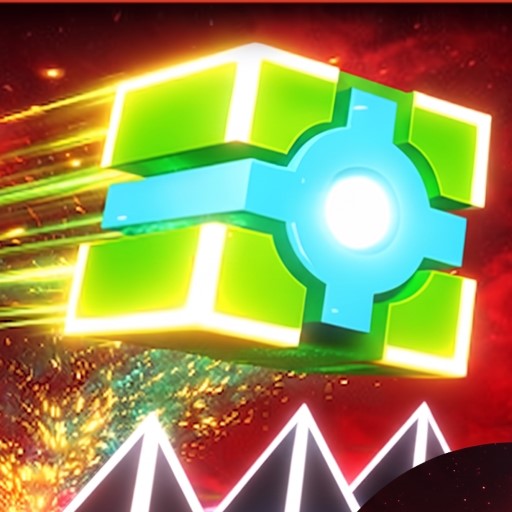
Controlled inputs to maintain the correct movement pattern
The quick reactions and rhythm-based movement also reminded me of Geometry Vibes, although the different movement forms here add more variety to each stage.
Portals and special mechanics
Gravity portals
Gravity portals reverse the character's movement direction, effectively turning the ceiling into the floor. I have to adjust my timing immediately after entering one because familiar jump patterns can suddenly work in reverse.
Speed portals
Speed portals change how quickly the level moves. Faster sections leave less room for hesitation, while slower sections require more patience and controlled timing.
Transformation portals
Transformation portals switch the character into another movement form, giving the level a different control style. Each form has its own behavior, so I need to quickly understand the new movement before reaching the next obstacle.
FAQs
Can I play Geometry Dash Breeze 3D on mobile?
Yes, it can be controlled by tapping the screen, making the game suitable for touchscreen devices.
Can I hold the jump button in Geometry Dash Breeze 3D?
Yes. Holding the input can produce a higher jump, but I need to release it at the right time to avoid overshooting the landing area.
Are there similar games to try?
If I enjoy Geometry Dash Breeze 3D, I would also check out other Geometry Dash-style games, including Geometry Dash Wave 3D and Geometry Dash Meltdown 3D.