Geometry Arrow 3D overview
Geometry Arrow 3D is a colorful rhythm game where I steer a neon arrow through 3D tunnels, tricky obstacles, portals, and increasingly demanding paths.
What caught my attention first is the 3D environment. Instead of moving across a simple flat track, I feel like I am gliding through glowing tunnels where distance and positioning are much harder to judge. Early sections give me time to understand the movement, while later paths introduce sharper zigzags, tighter spaces, and faster reactions.
How to play
In Geometry Arrow 3D, my arrow constantly moves forward, and I only need to control its vertical direction.
- Hold the left mouse button or Spacebar to fly upward.
- Release the button to move downward.
- Alternate between holding and releasing to maintain a controlled flight path.
- Watch the route ahead and prepare for upcoming obstacles.
The simple controls make the game easy to start, but the increasing speed makes precision much more important. I have to react quickly without making unnecessary movements.
Four maps to explore
Geometry Arrow 3D includes four maps, each with its own progression in difficulty. The 3D environments give the stages a stronger sense of depth, making the arrow's movement feel more dynamic.
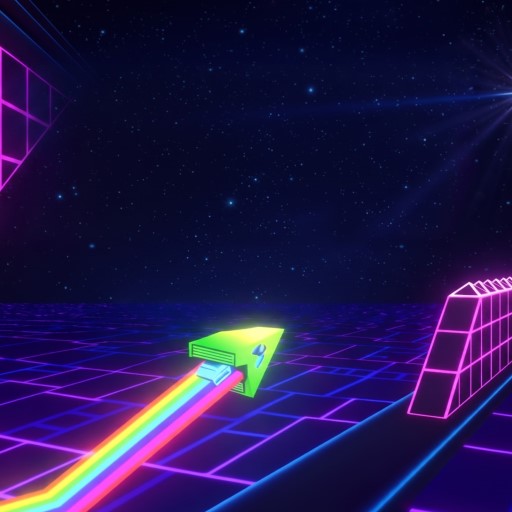
Four maps to explore
The first map helps you get comfortable with the controls. As I move forward, the paths become more complicated, the available space gets smaller, and the arrow travels faster.
The difficulty mainly comes from how obstacles are placed. A route that looks manageable at normal speed can become surprisingly difficult once the arrow accelerates.
Obstacles I need to watch
The variety of obstacles in Geometry Arrow 3D keeps me from relying on one movement pattern. Different hazards require different reactions:
- Static blocks: I need to aim my flight accurately around fixed barriers.
- Moving blocks: Their changing positions make my timing less predictable.
- Opening and closing traps: I have to wait for the right moment to pass.
- Narrow paths: Limited space leaves almost no room for mistakes.
- Acceleration zones: Sudden speed increases can quickly throw off my timing.
- Rotating obstacles: Changing angles make judging distance and position more difficult.
FAQs
How do I control the arrow in Geometry Arrow 3D?
Hold the left mouse button or Spacebar to move upward, then release to descend.
How many maps are there in Geometry Arrow 3D?
There are four 3D maps, with each one introducing more demanding paths and obstacles.
Are there similar games to Geometry Arrow 3D?
If I enjoy Geometry Arrow 3D, I can also try Geometry Vibes, Geometry Dash Breeze, and Geometry Dash Spam, which combine precise movement, reflexes, obstacles, and progressively harder levels.